ExpressionEngine and Craft CMS Add-ons
You've heard that Hop Studios builds great websites. But did you know Hop Studios also builds and shares great software add-ons to power those websites? It's true. Below are some of our plugins, modules and extensions for ExpressionEngine. You can download and use them in your own projects. If you like them, please buy them!
Hop Studios clients receive a free license for all of our add-ons.
If you need a custom add-on, or one you use needs some support, get in touch!

-

Hop 404 Reporter
Current Version: 3.0.8Hop 404 Reporter will alert you to 404 errors happening on your website -- which will help your site look good in search engines and satisfy your site visitors.
-

Hop Apple News
Current Version: 3.0.0Publish to Apple News automatically, directly from ExpressionEngine, and administer the stories there. This add-on takes care of the HTML -> JSON -> API heavy lifting for you.
-

Hop AWS Products (Amazon Web Services)
Current Version: 6.0.1Search the entire Amazon product catalog by keyword, or link to a particular item, and display in your page with live updating prices, images and product details. Tie items to your affiliate account and get paid for your links to Amazon.
-
Hop Data Juggler
Current Version: 1.3.1Toss data from field to field with ease
-

Hop Deeploy Helper
Current Version: 5.3.2Manage all your site's settings, paths and URLs easily with Hop Deeploy Helper! This add-on puts all the common configuration settings on one page.
-

Hop DocuSign
Current Version: 1.2.0Integrates DocuSign functionalities into your Freeform forms.
-
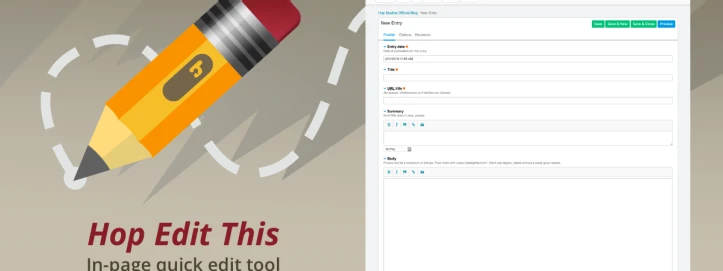
Hop Edit This
Current Version: 5.1.0Adds a direct "edit this" link, which displays only when the viewer has the correct privileges to edit an entry, category, or template. SAVES SO MUCH TIME.
-

Hop Fasta
Current Version: 4.2.0Puts a Quick Update button on the Template editor that speeds up your workflow and reduces errors.
-

Hop Inject
Current Version: 5.1.0Plugin: Hop Inject injects specified blocks of text into pre-existing content at delimiters.
-

Hop Introvert
Current Version: 4.0.1With EE, it's easy to create a relationship from one entry to another. But sometimes you wonder... which entries are relying this one? Hop Introvert helps you answer that question in a jiffy.
-

Hop Minifizer
Current Version: 5.0.0Minimize, combine & cache your HTML, CSS and JS files. Small is beautiful.
-

Hop Postmaster
Current Version: 1.0.1The new emailing solution for ExpressionEngine. Build, schedule and send email newsletters.
-

Hop PrivatEEr
Current Version: 3.1.1Avast ye landlubbers! Make yer website talk like a pirate, on Talk Like a Pirate Day! (Sept. 19) or on any day of the yearrrrr...!
-

Hop PushEE
Current Version: 3.0.3Keep in touch with your site visitors by sending opt-in, browser-based push notifications.
-

Hop Reveal (Craft)
Current Version: 1.0.0Visual indicator of staging, development and production servers; shows key config variables
-
Hop Reveal (EE)
Current Version: 1.1.0Gives admins a visual label about which server (staging, dev or prod) -- on frontend and/or backend pages - fully customizable
-

Hop Social Suite
Current Version: 3.1.1Facebook and Twitter both offer embeddable Javascript widgets you can use to display posts and tweets on your own website. But they are hard to style, and sometimes you want to display updates from both intermingled in the same space. Sounds like you need Hop Social Suite.
-

Hop Super Pulldown
Current Version: 4.0.0Standard pulldown menus make it easy to enter known, common data without a mistake. But wouldn't it be nice if you could also dynamically add to the menu as you work? With Hop Super Pulldown, now you can!
-

Hop Super Texter
Current Version: 3.0.0If you'd like to send an SMS from ExpressionEngine, there's now a simple solution. Hop Super Texter integrates with a third-party service called Twilio that makes sending text messages a snap.
-

Hop Weather
Current Version: 2.1.1Displays current and forecasted weather conditions from https://www.weather.gov